How Virtual Meeting Etiquette Can Help You Manage Your Remote Job More Effortlessly
Remote jobs work from home have transformed how professionals collaborate and communicate. Success in this environment depends heavily on mastering virtual meeting etiquette that keeps teams productive and engaged. Your remote work setup might include the perfect desk, high-speed internet, and noise-canceling headphones. But without proper virtual meeting etiquette, even the best remote working setup falls short of its potential.
Why Virtual Meeting Etiquette Matters for Remote Success
Virtual meeting etiquette creates the structure remote teams need to function smoothly. When everyone follows the same professional standards, meetings become efficient rather than draining. Remote jobs work from home eliminate commutes and office distractions. They also remove the natural social cues that guide in-person interactions. Virtual meeting etiquette fills this gap with clear expectations. Think about your last chaotic video call. Someone forgot to mute their barking dog. Another person spoke over the presenter repeatedly. These disruptions don't happen because people are rude, but because virtual meeting etiquette wasn't established.
Building Connection Through Ice Breakers for Virtual Meetings
Strong virtual meeting etiquette starts before diving into agenda items. Icebreakers for virtual meetings help distributed teams build rapport and trust. Your remote working setup might separate you from colleagues by hundreds or thousands of miles. Icebreakers for virtual meetings bridge that physical distance through intentional connection. Effective icebreakers for virtual meetings take just 3-5 minutes. Ask team members to share their current view, a recent accomplishment, or their favorite productivity hack for working from home. These brief interactions transform colleagues into real people with lives beyond their camera squares. Icebreakers for virtual meetings also help quieter team members warm up before critical discussions.
Optimizing Your Remote Work Setup for Professional Meetings
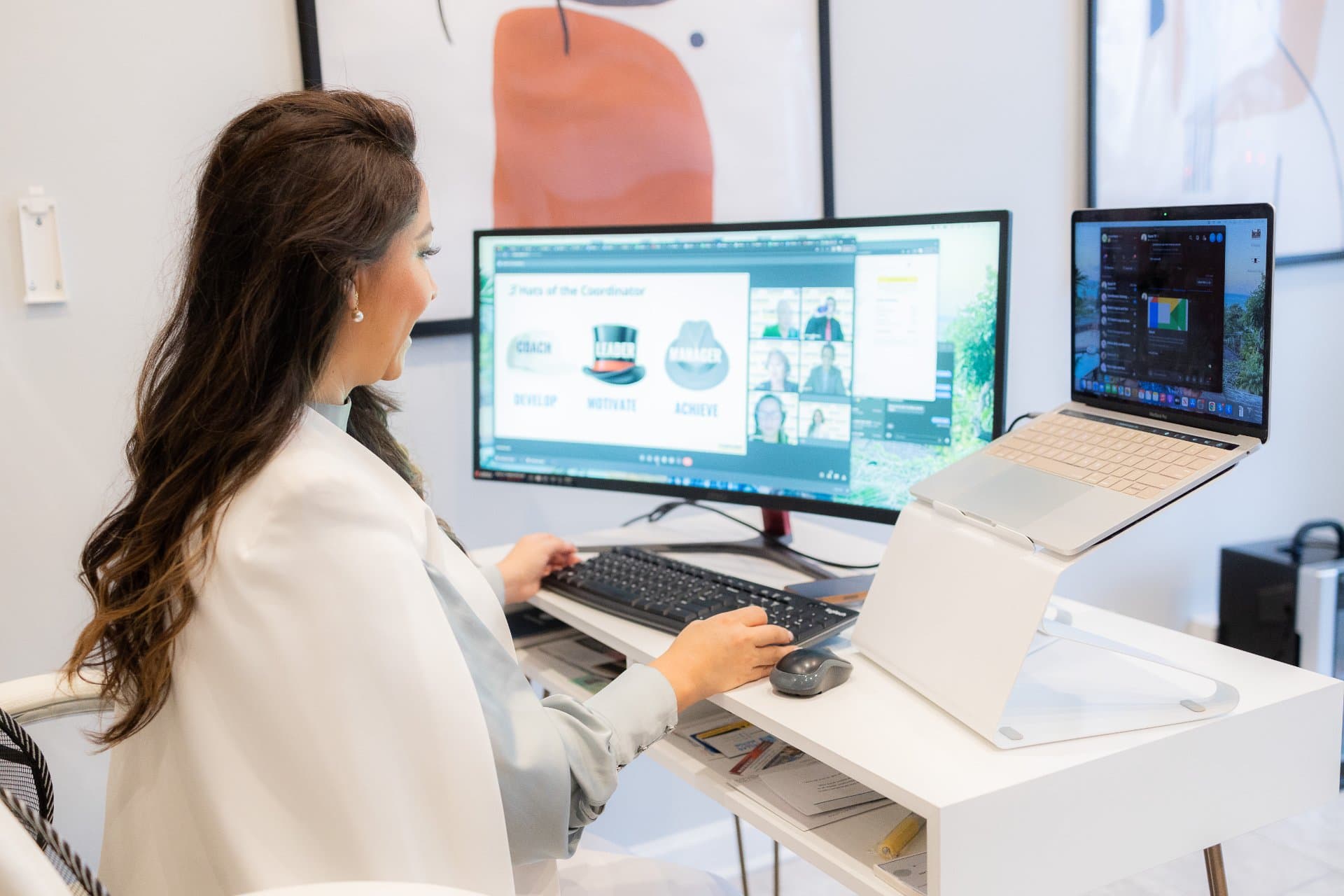
Virtual meeting etiquette extends to your physical environment. Your remote work setup directly impacts how colleagues perceive your professionalism and engagement. Position your camera at eye level. This simple adjustment in your remote working setup creates natural eye contact and projects confidence during discussions. Lighting makes an enormous difference in video quality. Place a light source in front of you rather than behind. This remote work setup enhancement ensures your face is clearly visible without shadows or glare. Background choices matter more than most people realize. A clean wall or bookshelf works perfectly. Avoid busy patterns or personal items that might distract from meeting content.
Essential Virtual Meeting Etiquette Rules
Arriving on time demonstrates respect for everyone's schedule. Remote jobs work from home offer flexibility, but punctuality remains critical to virtual meeting etiquette. Mute yourself when not speaking. Background noise from your remote working setup can derail entire conversations. Develop the habit of hitting mute between contributions. Use video whenever possible. Seeing faces helps maintain engagement and allows for non-verbal communication that audio-only calls miss completely. Test your technology before important meetings. Your remote work setup should be verified 10 minutes early to avoid delays caused by software updates or connection issues.
Advanced Virtual Meeting Etiquette Strategies
Strong virtual meeting etiquette includes strategic camera usage. Turn on video during introductions and key discussions, but consider audio-only during longer sessions to reduce screen fatigue. Icebreakers for virtual meetings shouldn't feel forced or awkward. Rotate responsibility among team members to keep these activities fresh and relevant to your group dynamics. Practice active listening signals. Nod visibly, use reaction emojis, and provide verbal acknowledgments. These virtual meeting etiquette habits show engagement even through a screen. Minimize multitasking during calls. Remote jobs work from home make it tempting to check email or complete other tasks. This behavior damages team trust and meeting effectiveness.
Creating Structure in Your Remote Working Setup
Designate a specific space for video calls within your remote work setup. This physical boundary helps your brain shift into professional mode when entering that area. Keep meeting essentials within arm's reach. Notebooks, chargers, and water bottles should be part of your remote working setup so you never need to leave the frame during discussions. Your remote work setup should include visual reminders of virtual meeting etiquette basics. A small note near your monitor listing key practices keeps good habits front of mind.
Managing Energy Across Multiple Virtual Meetings
Remote jobs that work from home often mean back-to-back video calls. Virtual meeting etiquette includes protecting your energy between sessions. Build 5-10 minute buffers into your schedule. This break time lets you process information and reset your remote working setup, and prepare mentally for the next conversation. Icebreakers for virtual meetings can also serve as energy boosters. Quick movement-based activities or brief mindfulness exercises help teams refocus during long meeting days. Stand during certain calls when your remote work setup allows. This posture change improves circulation and alertness without disrupting virtual meeting etiquette standards.
Virtual Meeting Etiquette for Different Meeting Types
One-on-one calls require different virtual meeting etiquette than large team meetings. Smaller conversations allow for more informal interaction while maintaining professionalism. Presentation-style meetings need stricter speaking protocols. Establish clear hand-raising or chat protocols so remote jobs work-from-home participants can ask questions without interrupting the flow. Brainstorming sessions benefit from relaxed virtual meeting etiquette. Encourage rapid-fire ideas and overlapping enthusiasm while still maintaining basic respect and turn-taking.
Troubleshooting Common Virtual Meeting Challenges
Technical issues will happen regardless of your remote working setup quality. Strong virtual meeting etiquette includes having backup plans for connection failures. Keep a phone number handy for dial-in access. This contingency plan shows preparedness when your primary remote work setup encounters problems. Communicate proactively about issues. If your audio cuts out or video freezes, use chat to alert others rather than leaving them confused about your status.
Cultural Considerations in Virtual Meeting Etiquette
Remote jobs work from home often connect international team members. Virtual meeting etiquette must account for cultural differences in communication styles and professional norms. Research time zones before scheduling to avoid expecting colleagues to join calls during unreasonable hours. This consideration demonstrates respect built into your virtual meeting etiquette approach. Icebreakers for virtual meetings can educate teams about different cultural practices. Ask members to share unique traditions or workplace customs from their regions.
Elevating Your Remote Work Performance
Virtual meeting etiquette transforms remote jobs work from home from isolated experiences into collaborative successes. Your remote working setup provides the foundation, but professional meeting behaviors build lasting team relationships. Every video call offers an opportunity to demonstrate your commitment to team success. Strong virtual meeting etiquette signals reliability, respect, and professional excellence. The practices you develop now will serve your career for years. Remote work continues expanding, and virtual meeting etiquette becomes increasingly valuable across industries.
Master Virtual Meetings and Accelerate Your Remote Career
Stop letting poor meeting habits hold back your remote work potential. Implement these virtual meeting etiquette strategies today and watch your professional reputation and team relationships strengthen. Your remote working setup is ready, and now your meeting skills can match. Our TeamFicient professionals possess the essential skills and experience to effectively communicate, schedule, manage, and provide service for your business.
Frequently Asked Questions
What is the most important rule of virtual meeting etiquette?
Showing up on time with working audio and video demonstrates basic respect for participants. Test your technology 10 minutes early and arrive ready to contribute. Punctuality sets the tone for professional remote collaboration.
How long should icebreakers for virtual meetings last?
Icebreakers for virtual meetings should take 3-5 minutes maximum to avoid eating into productive meeting time. Brief activities build connections without frustrating team members who want to address agenda items. Keep them focused and energized.
Do I need an expensive remote work setup for professional video calls?
A basic remote work setup with decent lighting, clean background, and stable internet suffices for most professional needs. Invest in a quality headset before upgrading cameras or other equipment. Audio quality impacts meetings more than video resolution.
Should I always use video during remote meetings?
Virtual meeting etiquette generally favors video-on for introductions, key discussions, and smaller team meetings. Audio-only works for longer sessions or when you need to reduce screen fatigue. Match your video usage to meeting importance and duration.
What are quick icebreakers for virtual meetings that actually work?
Ask participants to share their best productivity tip, show an item on their desk with a story, or describe their weekend in three words. These icebreakers for virtual meetings create authentic connections without requiring extensive preparation or feeling forced.
More in Remote Work

Maintaining Quality and Accountability in Remote Work Environments and WFH Jobs
Understanding the wfh meaning has become essential for modern businesses and job seekers alike. WFH stands for "work from home" and represents a fundamental shift in how organizations approach productivity and employee management.
Feb 20, 2026

No Long-Term Contracts in Virtual Staffing: Why Flexibility Matters for Growing Businesses
Businesses today are moving faster than ever. Growth cycles change, market conditions shift, and staffing needs evolve quickly. That is why companies are turning to flexible jobs instead of rigid long-term hiring models.
Feb 6, 2026
Why Remote Virtual Assistants Are the #1 Growth Hack for Small Businesses in 2026
Small businesses are discovering the transformative power of virtual assistants in 2026. The shift toward remote work has created unprecedented opportunities for companies to scale operations without traditional overhead costs.
Feb 3, 2026